

Why UX Mistakes Cost Startups More Than Bad Ideas
Startups often believe that success depends on speed, innovation, and feature development. While these factors are important, one critical element is frequently overlooked: user experience. Many startups fail not because their idea is weak, but because users cannot effectively interact with their product.
In the early stages, usability issues may not seem critical. However, as the product scales, these issues compound and begin to affect onboarding, engagement, and retention. As a result, startups experience low activation rates, increased churn, and poor customer satisfaction.
Understanding common UX mistakes startups make is essential for building scalable and successful products. Instead of reacting to problems after they arise, teams should proactively identify and fix usability issues.
A good starting point is evaluating your product using a structured UX audit framework. You can also use a UX audit checklist to quickly identify gaps in usability.
In many startup products, UX issues are not caused by lack of effort but by rushing decisions without proper validation. Small mistakes made early in the design process often scale into major usability problems later.
From My Experience
In one of my projects, a startup team focused heavily on adding new features to attract users. However, they overlooked basic usability issues in the existing product. As a result, users struggled to complete simple tasks and often dropped off during onboarding.
Instead of adding more features, we focused on fixing existing UX issues such as navigation clarity and task flow. This led to a noticeable improvement in user engagement and retention.
This experience highlighted that solving usability problems often has a greater impact than introducing new features.
Mistake 1: Designing Without User Research
One of the most common mistakes is building products based on assumptions. Founders and product teams often believe they understand user needs. However, without proper research, these assumptions can be misleading.
When products are designed without understanding user behavior, they often include unnecessary features while missing critical ones. This leads to confusion and poor engagement.
For example, a startup may assume that users want advanced features, but in reality, users may prefer simplicity and efficiency. Without research, the product becomes complex and difficult to use.
In real-world startup scenarios, teams often realize these issues only after users start dropping off.
How to Fix It
Start with user research. Conduct interviews, surveys, and usability testing to gather real insights. Understanding user behavior helps you design products that solve actual problems.
Explore detailed methods here: UX research methods.
Mistake 2: Poor Onboarding Experience
Onboarding is the first experience users have with your product. If users cannot understand how to use the product within the first few minutes, they are likely to leave.
Many startups either overload users with too much information or provide no guidance at all. Both approaches create friction.
For instance, showing multiple tooltips at once overwhelms users, while providing no guidance leaves them confused.
How to Fix It
Design onboarding that is simple and task-focused. Instead of explaining everything, guide users to complete one key action. This creates momentum and builds confidence.
A structured UX process for SaaS products helps improve onboarding experiences.
Mistake 3: Complex Navigation
As startups add features, navigation often becomes cluttered. Too many options, unclear labels, and inconsistent structure make it difficult for users to find what they need.
This increases cognitive load and reduces efficiency.
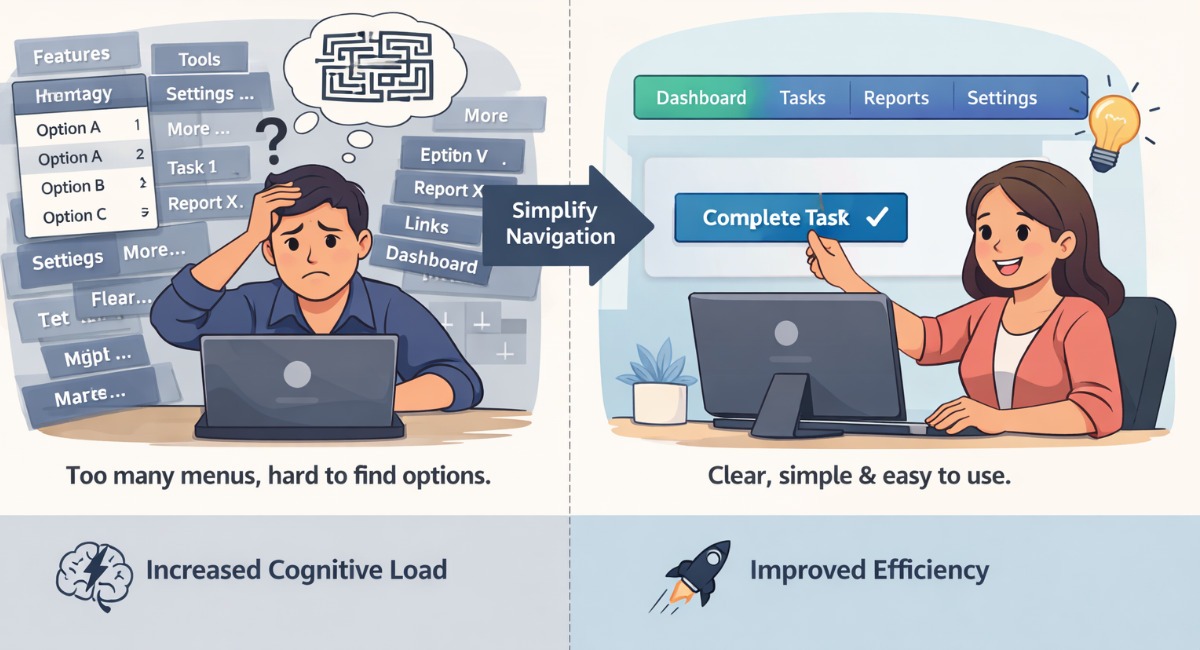
For example, if users need to click through multiple menus to complete a simple task, they may abandon the process.
How to Fix It
Simplify navigation by grouping related features and using clear labels. Ensure that key actions are easily accessible.
Mistake 4: Ignoring Information Architecture
Information architecture defines how content and features are organized. Poor structure leads to confusion and inefficiency.
Users should not have to search through multiple sections to find what they need.
In many startups, features are added without considering overall structure, leading to fragmented experiences.
How to Fix It
Create a logical hierarchy and group related features together. This improves usability and reduces friction.
Mistake 5: Overloading the Interface
Startups often try to showcase all features at once. This results in cluttered interfaces that overwhelm users.
Too much information increases cognitive load and makes it harder for users to focus on key actions.
For example, dashboards with too many metrics can confuse users instead of helping them.
How to Fix It
Use progressive disclosure to show only relevant information. Prioritize important actions and simplify layouts.
Mistake 6: Lack of Consistency
Inconsistent design patterns create confusion. When elements behave differently across screens, users struggle to learn the interface.
This increases friction and reduces usability.
How to Fix It
Use consistent design patterns and follow established systems such as Material Design.
Mistake 7: Ignoring Accessibility
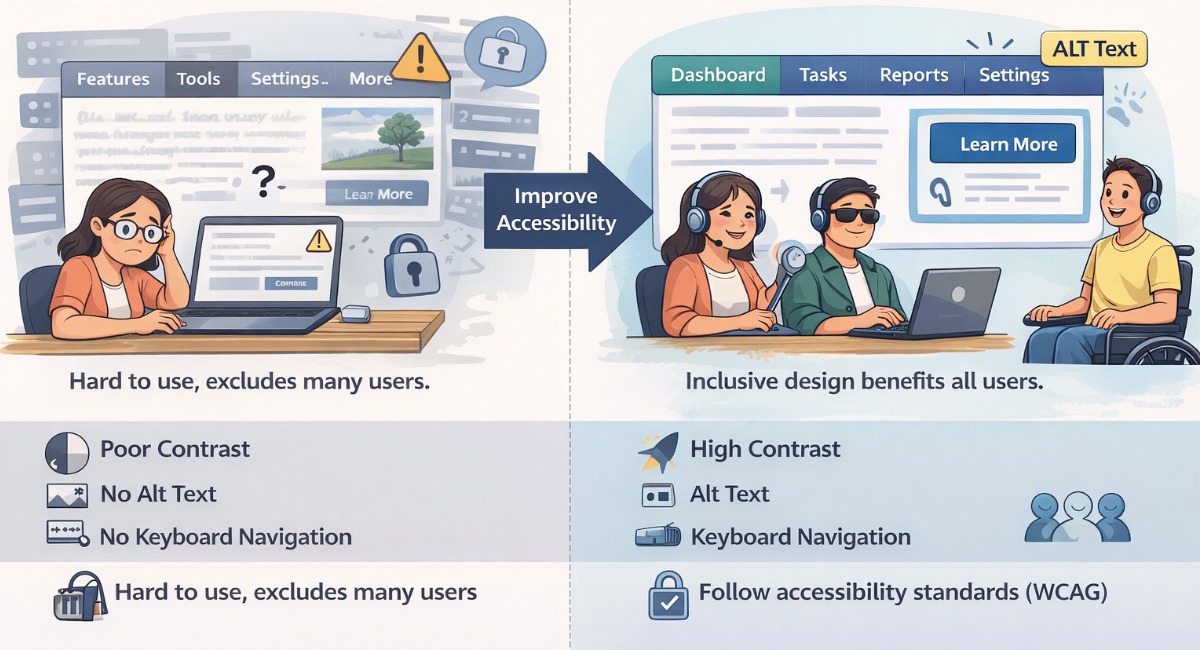
Accessibility is often overlooked in early-stage products. This limits the audience and creates usability barriers.
Common issues include poor contrast, missing alt text, and lack of keyboard navigation.
How to Fix It
Follow accessibility standards such as WCAG guidelines. Inclusive design improves usability for all users.
Learn more in Accessibility and Business ROI.
Mistake 8: Skipping Usability Testing
Without testing, teams rely on assumptions. This often leads to flawed designs.
Usability testing helps identify real issues and improve design quality.
How to Fix It
Conduct regular testing with real users. Observe how they interact with your product and identify friction points.
Mistake 9: Focusing Only on UI Instead of UX
Many startups focus on visual design while ignoring usability. A beautiful interface does not guarantee a good experience.
Users care about efficiency and ease of use more than aesthetics.
How to Fix It
Focus on user flows, task completion, and usability. Design should support user goals.
Mistake 10: No Continuous Improvement
UX is not a one-time effort. Products evolve, and so should the user experience.
Many startups stop improving UX after launch, which leads to outdated experiences.
How to Fix It
Continuously analyze user behavior and improve the product. Conduct regular audits using a UX audit framework.
Real Example: Fixing UX Issues in a Startup Product
A startup faced low engagement due to poor onboarding and complex navigation. Users struggled to complete tasks and often dropped off.
By simplifying onboarding, improving navigation, and optimizing workflows, the product saw significant improvements.
- Higher activation rates
- Reduced drop-offs
- Improved retention
This example shows how fixing UX mistakes can transform product performance.
How UX Mistakes Impact Business Growth
UX mistakes directly affect business outcomes. Poor usability leads to lower conversions, higher churn, and increased support costs.
On the other hand, improving UX leads to better engagement, higher retention, and improved customer satisfaction.
Therefore, UX should be considered a strategic investment rather than a design activity.
Building a UX-Driven Startup Culture
Successful startups integrate UX into their product strategy. They prioritize user needs, conduct research, and continuously improve their products.
This approach ensures long-term growth and competitive advantage.
Real Startup UX Mistakes and How They Were Fixed
- Mistake: Adding features without validating user needs
- Fix: Conducting user research before development
- Mistake: Complex onboarding causing drop-offs
- Fix: Simplifying onboarding and focusing on key actions
- Mistake: Cluttered interfaces reducing usability
- Fix: Prioritizing core features and simplifying layout
Key Insight
The most successful startups are not the ones that build the most features, but the ones that reduce friction in the user experience. Small UX improvements often deliver bigger results than major feature additions.
Conclusion
Understanding and fixing common UX mistakes is essential for building successful digital products. By focusing on usability, research, and continuous improvement, startups can create products that users love.
Ultimately, strong UX leads to better engagement, higher retention, and sustainable business growth.