Introduction
Modern digital products require structured workflows that combine design, research, and collaboration. UX tools and process frameworks help teams move efficiently from research insights to product implementation.
In real-world design workflows, choosing the right UX tool is not just about features but about how effectively it fits into the team’s process. The same tool can either accelerate or slow down a project depending on how it is used.
From My Experience
In one of my recent projects, the team initially used multiple tools for wireframing, prototyping, and collaboration. While each tool was powerful individually, the overall workflow became inefficient due to constant switching between platforms.
We streamlined the process by selecting tools that supported end-to-end workflows, reducing friction between design and development. As a result, collaboration improved, feedback cycles became faster, and the team was able to deliver designs more efficiently.
This experience showed that selecting the right combination of UX tools is as important as the design process itself.
Key UX Tools Used by Design Teams
1. Wireframing Tools
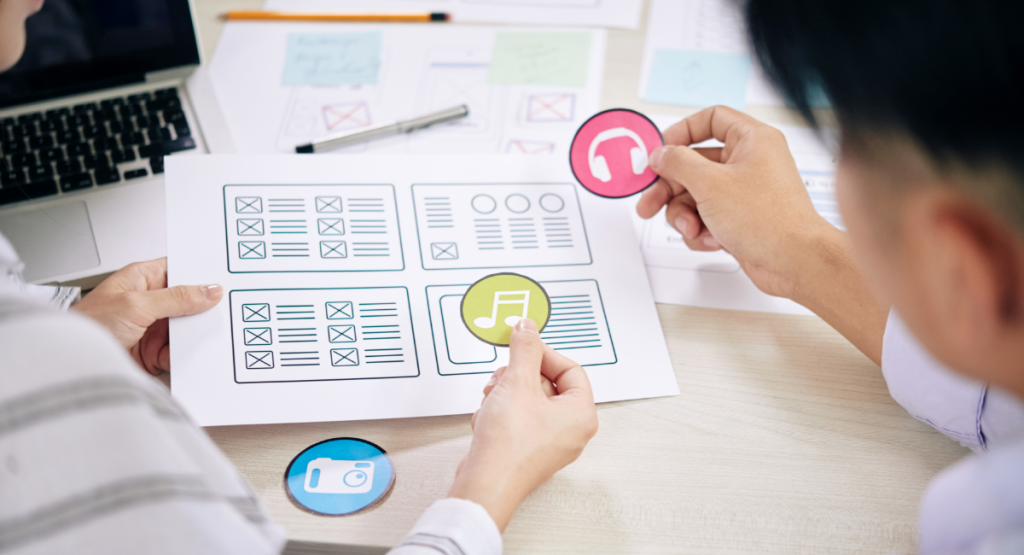
Wireframing tools help designers structure layouts and information architecture before creating detailed interfaces. These tools allow teams to quickly visualize user flows, navigation structure, and content hierarchy before investing time in high-fidelity design.
Figma – A collaborative interface design tool widely used for wireframes, UI design, and prototyping.
Balsamiq – A low-fidelity wireframing tool that allows designers to quickly sketch product layouts and validate structure.
Whimsical – A visual collaboration platform used for wireframes, user flows, and product diagrams.
These tools help teams validate product structure early in the design process.
2. Prototyping Platforms
Prototyping platforms simulate real user interactions and allow teams to validate usability before development begins. Interactive prototypes help designers test navigation flows, transitions, and user interactions.
Popular prototyping tools include:
ProtoPie – A powerful interaction design tool that enables designers to create complex, high-fidelity prototypes.
UXPin – A prototyping platform that bridges design and development using interactive UI components.
Marvel – A simple tool for creating clickable prototypes and conducting user testing.
These platforms help teams test usability before writing production code.
3. Collaboration Tools
Collaboration platforms enable designers, developers, and product managers to align their work and share feedback during product development.
Common collaboration tools include:
Miro – A digital whiteboard used for brainstorming, user journey mapping, and UX workshops.
Notion – A workspace used for product documentation, design systems, and team collaboration.
Slack – A communication platform widely used for real-time collaboration between design and development teams.
When combined with structured UX processes, these tools help teams build scalable and user-centered digital products.
4. UX Testing Tools
UX testing tools help teams evaluate how users interact with digital products. These tools provide insights into usability issues, user behavior, and interface performance before a product is released or updated.
By observing real user interactions, product teams can identify friction points and improve overall user experience.
Popular UX testing tools include:
Maze – Maze allows teams to conduct rapid usability testing on prototypes and live products. It provides insights such as task completion rates, user journeys, and usability reports.
Hotjar – Hotjar provides behavior analytics through heatmaps, session recordings, and user feedback tools. These insights help teams understand how users navigate digital interfaces.
Lookback – Lookback enables moderated and unmoderated user research sessions. Designers can observe how users interact with products and collect qualitative insights during usability testing.
Useberry – Useberry allows teams to test prototypes and gather usability feedback before development begins. It integrates easily with design tools such as Figma.
These UX testing tools help teams validate design decisions using real user insights rather than relying on assumptions.
Integrating UX Tools with Design Process
Tools alone do not guarantee successful outcomes. Instead, teams must follow structured processes that combine research, testing, and iteration.
Many organizations follow the workflow described in the UX Process Breakdown for SaaS Products.
In practice, teams often choose tools based on familiarity rather than workflow efficiency. However, selecting tools that align with the process can significantly improve productivity.
Improving Product Decisions Through UX Processes
Structured UX workflows allow teams to:
- Identify usability problems early
- Validate product decisions
- Improve collaboration between teams
- Reduce development rework
Common UX Tool Challenges and How to Solve Them
- Problem: Using too many tools leading to fragmented workflow
- Solution: Consolidating tools to streamline collaboration
- Problem: Poor communication between design and development teams
- Solution: Using collaborative tools that support real-time feedback
- Problem: Prototypes not matching final implementation
- Solution: Aligning design tools with development frameworks
Key Insight
UX tools do not define the quality of a product; the process behind them does. The most effective teams focus on how tools support collaboration, clarity, and decision-making rather than simply adopting the latest technology.
Conclusion
UX tools and process frameworks provide the foundation for efficient product design. When combined with research and usability testing, they enable teams to create scalable and user‑centered digital experiences.